Calendar Set
1. What is a Calendar Set?
A Calendar Set lets you choose which calendars or reminders to show or hide in each view. Each view (like Monthly, Weekly, Tasks) can have its own visibility settings.
2. Setting Calendar Sets per view
You can change the visible calendars in any view:
▶️ Method 1: Swipe from the right edge
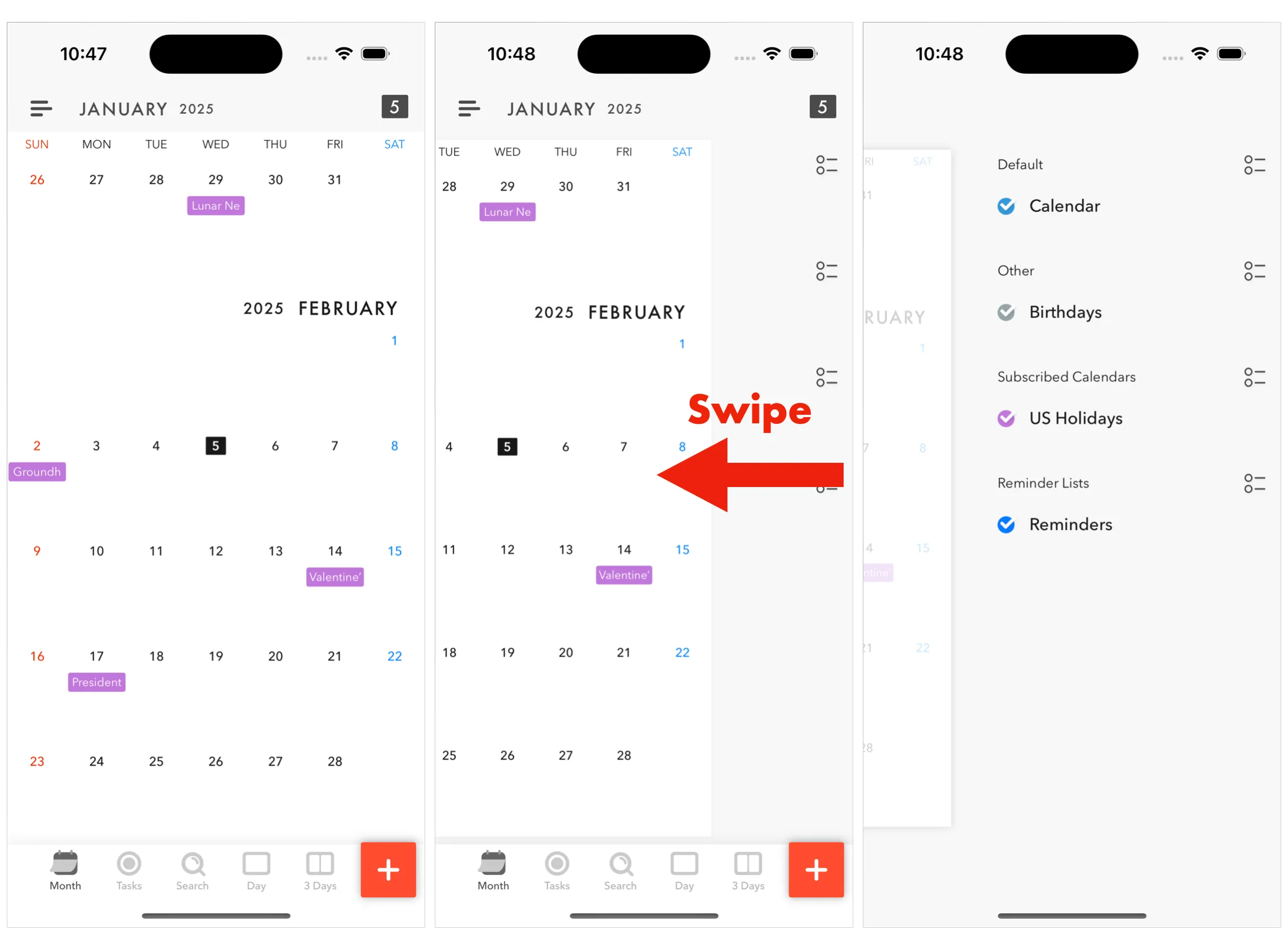
▶️ Method 2: Use the menu Go to the upper-right menu → Calendar and Reminder List
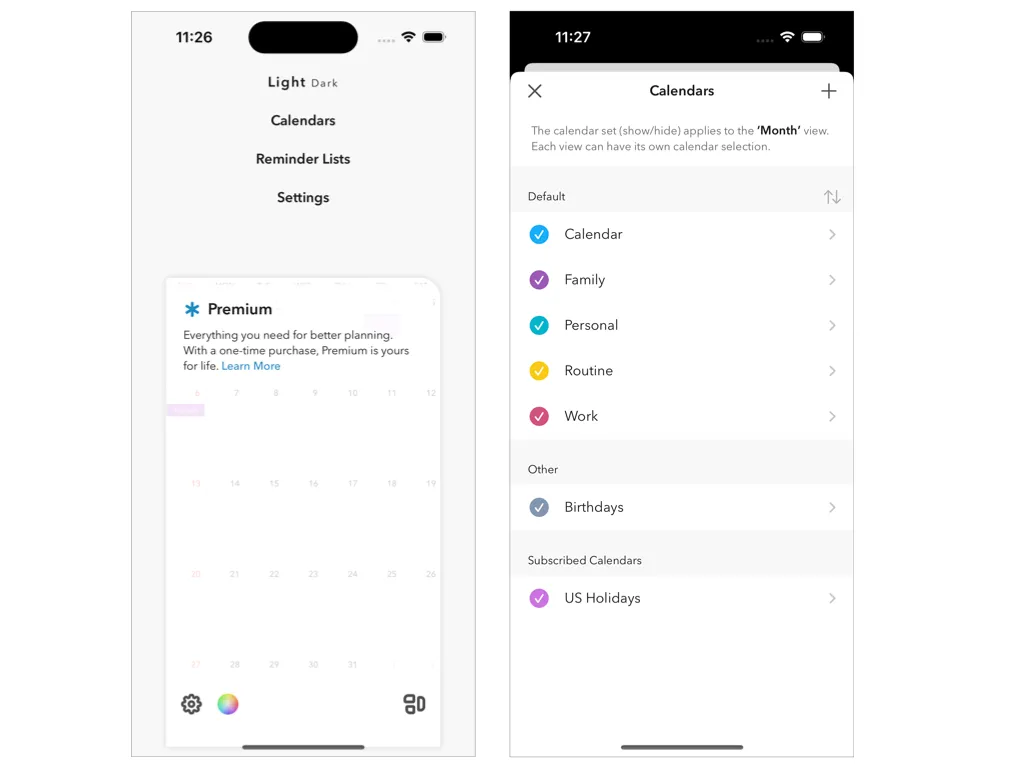
Each view remembers its own setup.
3. Widget-specific Calendar Set (Premium only)
By default, widgets follow the Monthly View’s Calendar Set. To customize which calendars appear in each widget, use the Widget Calendar Set (Premium only).
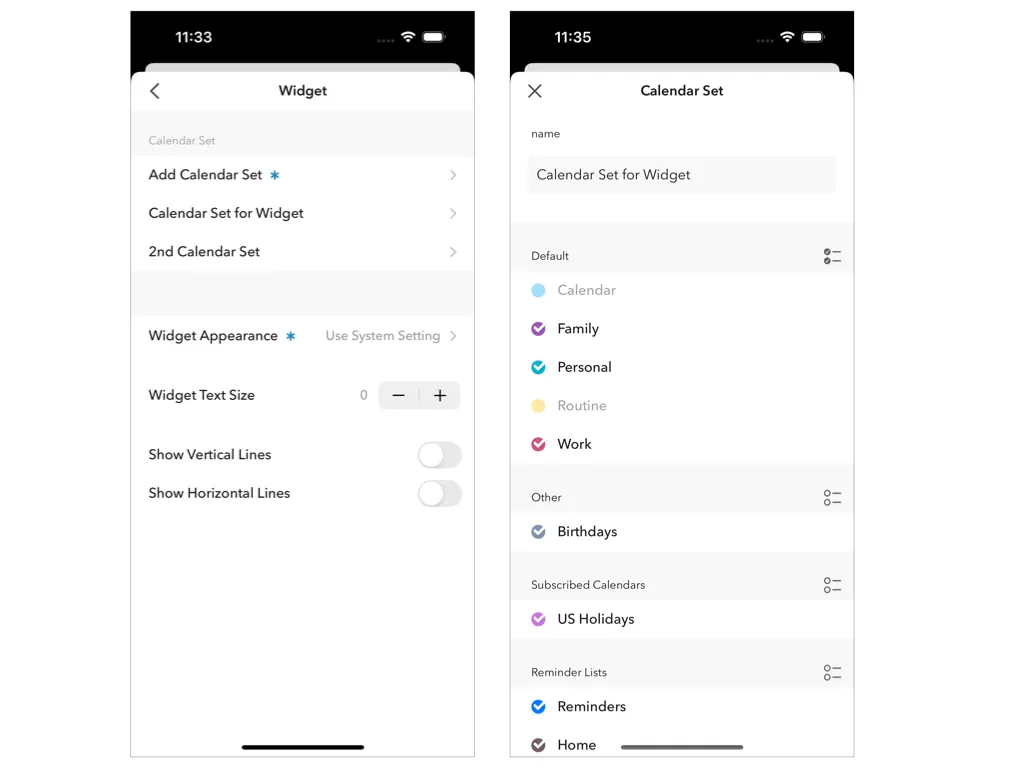
▶️ ① In the app Go to: Settings → Widget → Calendar Set Here, you can select or create a separate Calendar Set just for widgets.
▶️ ② On the Home Screen You can also set this directly from the widget: Long-press the widget → Tap “Edit Widget” → Choose your Calendar Set
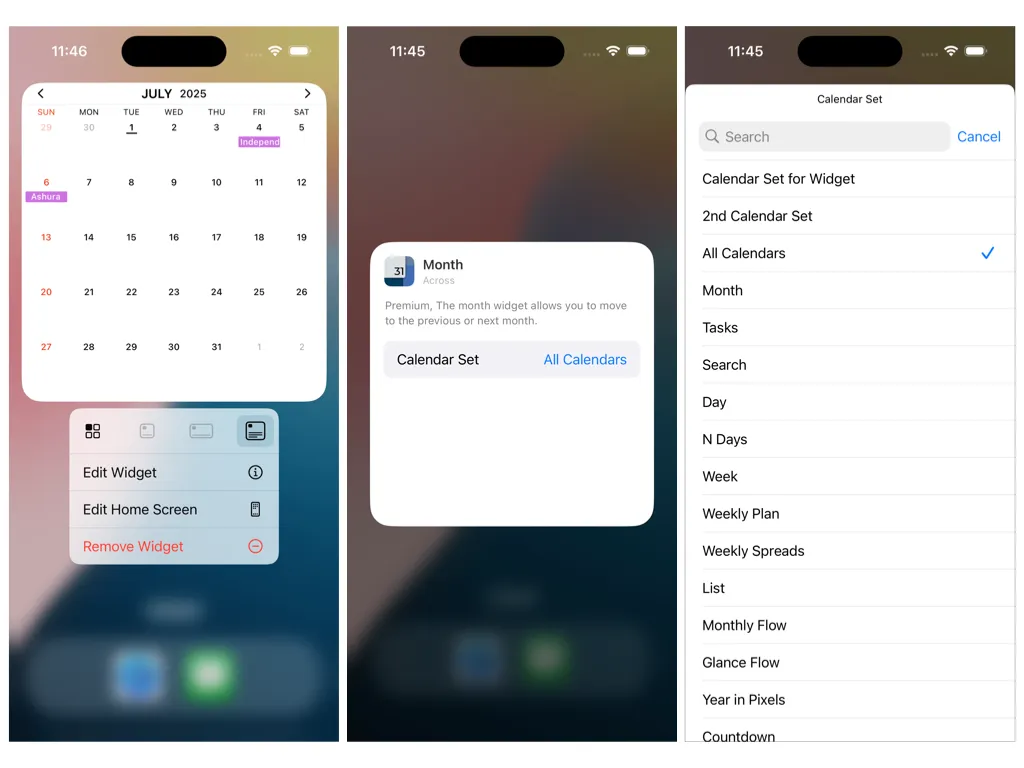
This allows your widgets to show different calendars than the app views.
4. FAQ
Q. Are Calendar Sets synced across views? → No. Each view has its own independent setup.
Q. Can I have a different Calendar Set just for widgets? → Yes, if you’re a premium user.