Show late-night events on one day
An event from 11 PM to 1 AM can show on a single day instead of two. Set the End Hour once.
A late dinner from 11 PM to 1 AM ends on the next day, so most calendars show it on both days. If your days often run past midnight, that second copy is just noise. End Hour tells Across when your day really ends.
Set your End Hour
- Open Settings (⌘,) and choose Calendar View.
- Find End Hour under Event Style.
- Pick the hour your day ends, from 1:00 to 9:00. The default is 0:00, which is midnight.
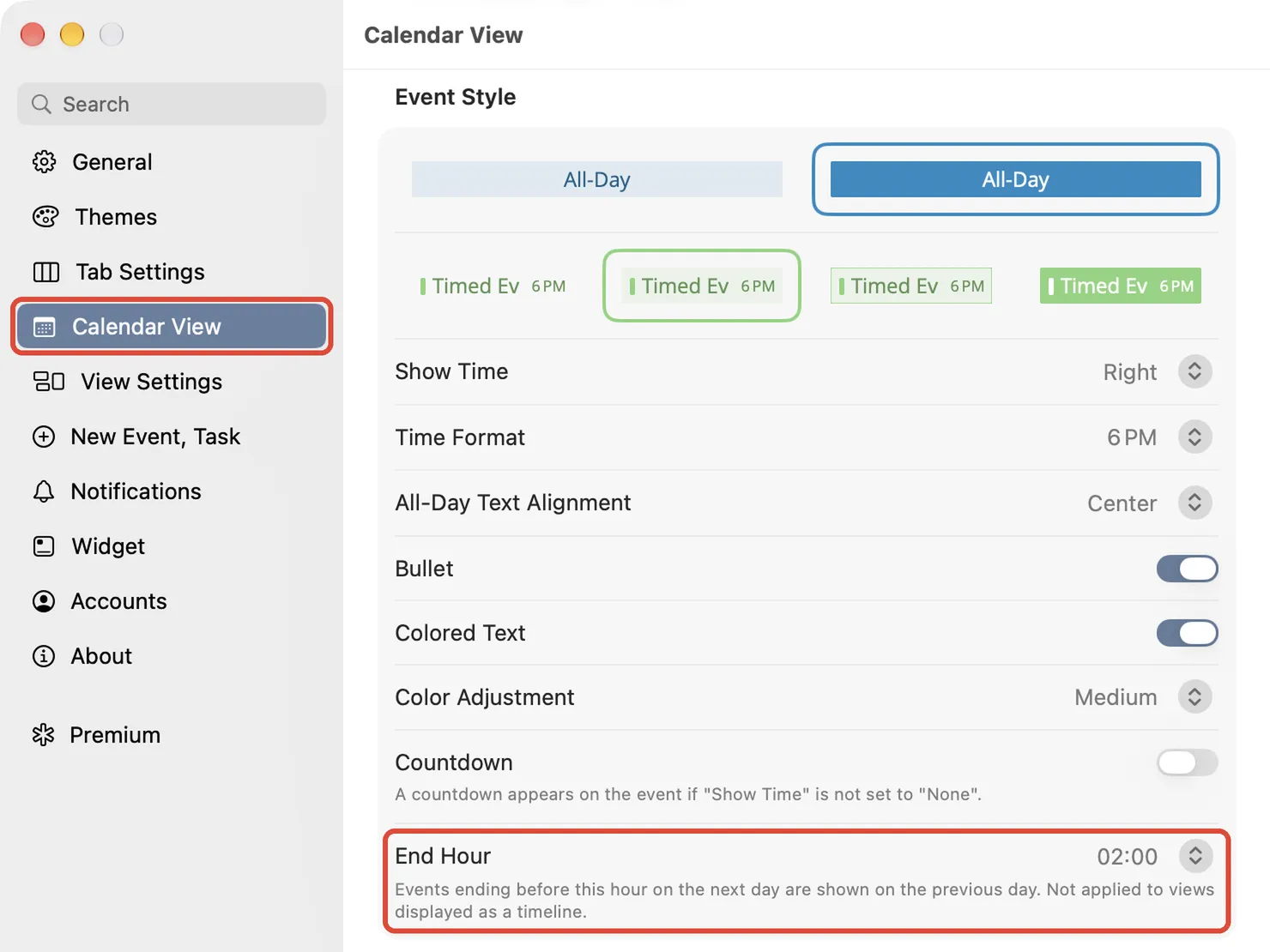
Events that end before that hour on the next day now show only on the day they started.
Examples
With End Hour set to 2:00:
| Event | Shows on |
|---|---|
| Dinner, 11 PM to 1 AM | The first day only |
| Concert, 9 PM to 12:30 AM | The first day only |
| Night flight, 11 PM to 6 AM | Both days, because it ends after 2:00 |
Night shift ending at 7 AM? Set End Hour to 8:00 and the whole shift stays on the day it began.
Where it applies
End Hour works in views that show each day as a box, like Month. It isn’t used in views laid out as a timeline, like Week, Day, and N Days. There, an event that crosses midnight is drawn hour by hour across both days.
Your events themselves don’t change. Their start and end times stay exactly as they are in Apple Calendar or Google Calendar. Only where Across shows them changes.
Updated November 22, 2026