Find any setting by typing
Open Settings and start typing. Across finds the setting and takes you straight to it.
Across has a lot of settings. You don’t need to remember where any of them live.
Search
- Open Settings (⌘,).
- Click the Search field at the top of the list and type what you’re looking for, like bold or week number.
- Click a result. Across opens that page, scrolls to the setting, and highlights it for a moment.
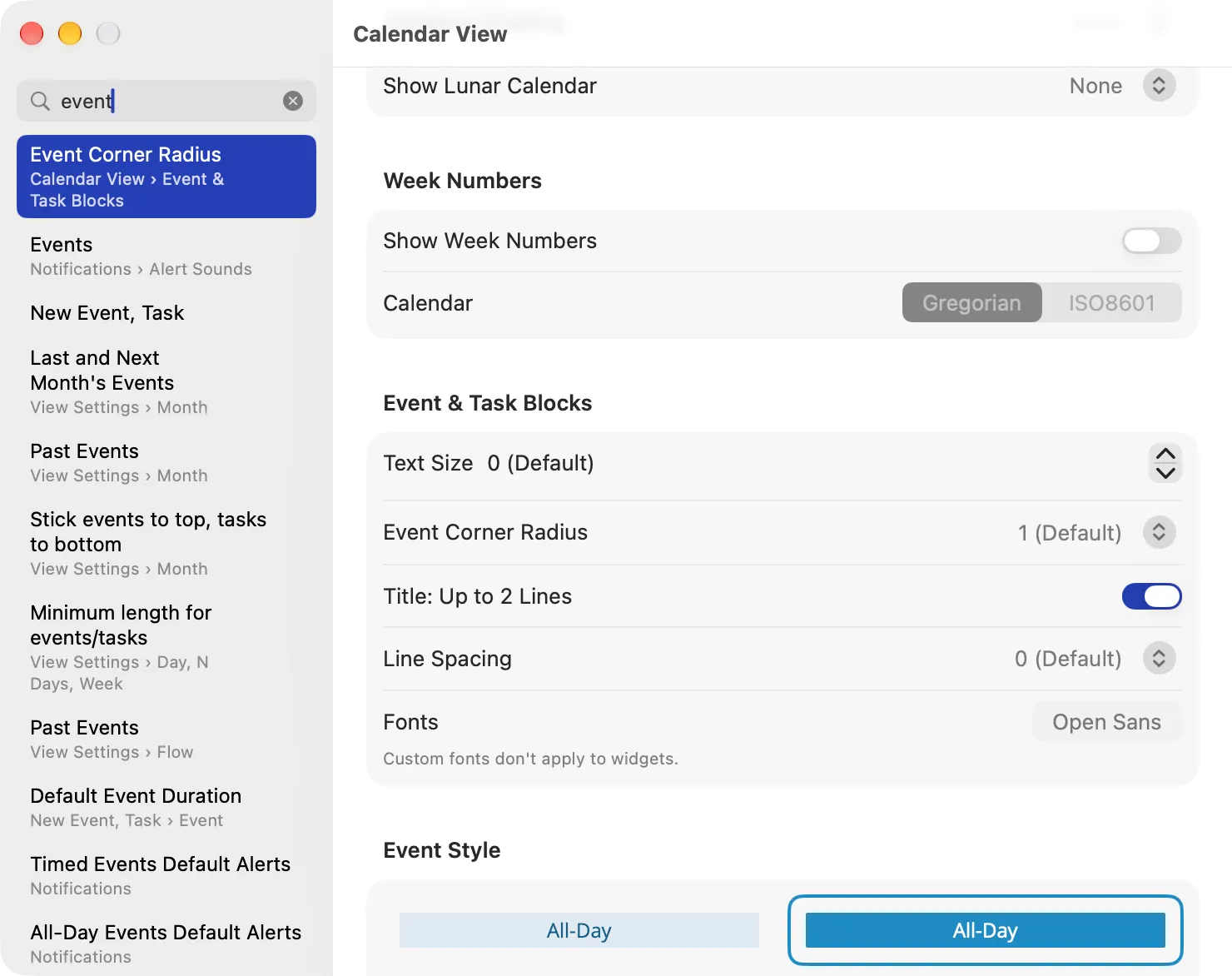
Each result shows where the setting lives, like Calendar View › Week Numbers.
Tips
- Search by choice, not just by name. Type strikethrough and you’ll find the setting that offers it.
- Shortcuts too. Type ⌘T or today to find it in the keyboard list.
- Word order doesn’t matter. Size text finds Text Size.
- Use the arrow keys. With the cursor in the search field, press ↓ and ↑ to step through results. Each one opens as you go.
The search clears the next time you open Settings.
Updated November 22, 2026